
Microsoft Word
Create professional documents with confidence
Create, edit, and collaborate on documents easily. Microsoft Word helps you produce clear, professional work anytime, anywhere.
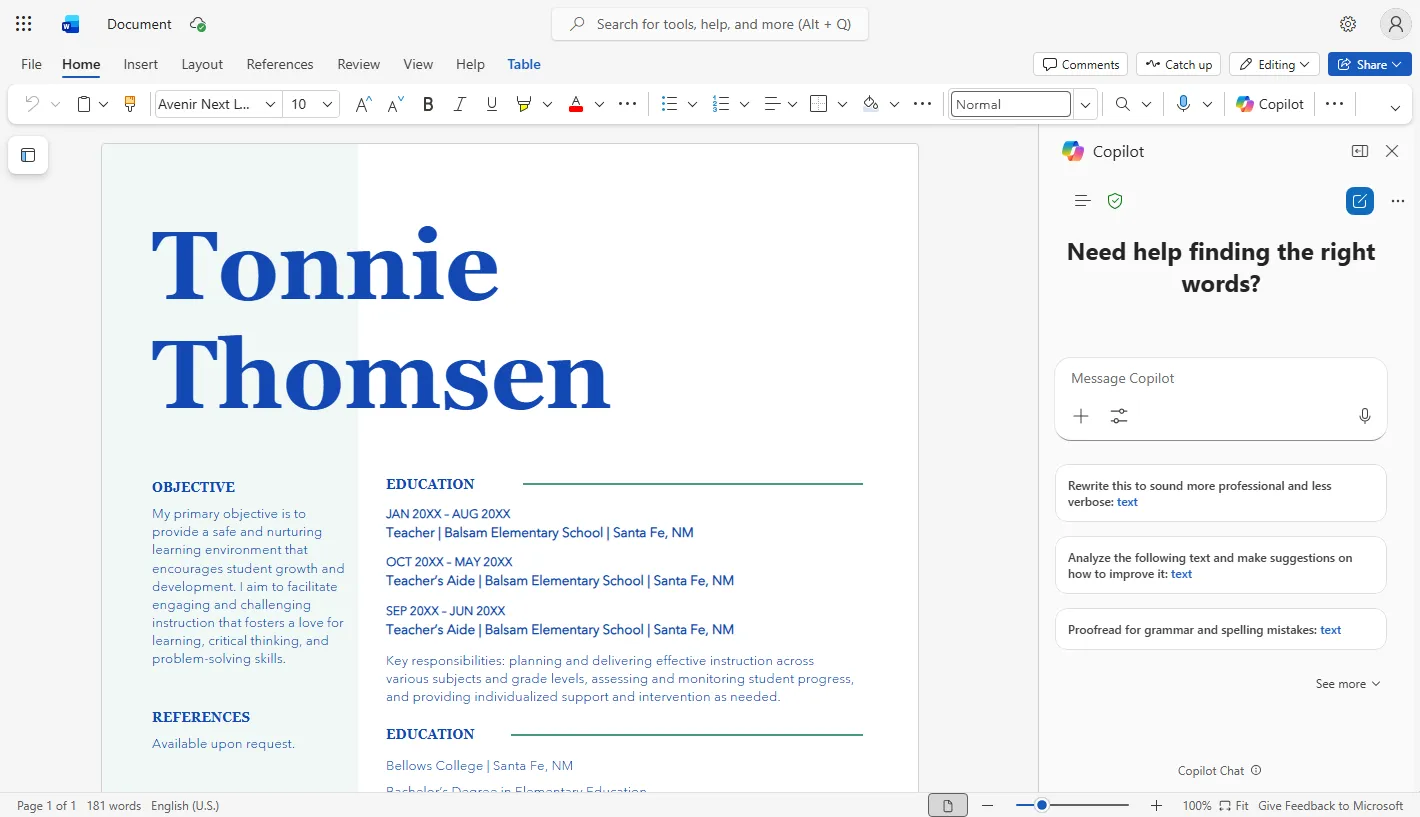
Work faster. Write with confidence.
Start faster
Create drafts and outlines quickly with Copilot
Ready to use templates
Choose templates designed for different document needs
Professional writing support
Improve clarity, grammar, and tone with smart suggestions
Speech to text
Turn spoken words into text instantly
Copilot. Your AI writing assistant in Microsoft Word
Copilot helps you think, write, and refine content to match your document goals, from rewriting text to summarizing key points.
Manage documents from start to finish
Image editing
Add and adjust images within documents to enhance visual presentation, with Copilot helping suggest suitable layouts
Document summaries
Use Copilot to summarize long documents into concise key points for faster understanding
Reading mode
Focus on reading content without distractions to improve clarity and concentration
Accessibility support
Review documents to ensure content is accessible and easy to understand for all readers
Sharing and collaboration
Share documents with others and work together in real time from anywhere
Track changes
Review edits, comments, and document history clearly to manage revisions with confidence
Ready to start using Microsoft Word?
Choose a Microsoft 365 plan that fits your needs or contact our team for guidance.
Microsoft Word is a trademark of Microsoft Corporation.