
Microsoft PowerPoint
Create professional presentations in minutes
Design beautiful slides and present with confidence
Help you create clear, structured, and professional presentations that are easy to understand
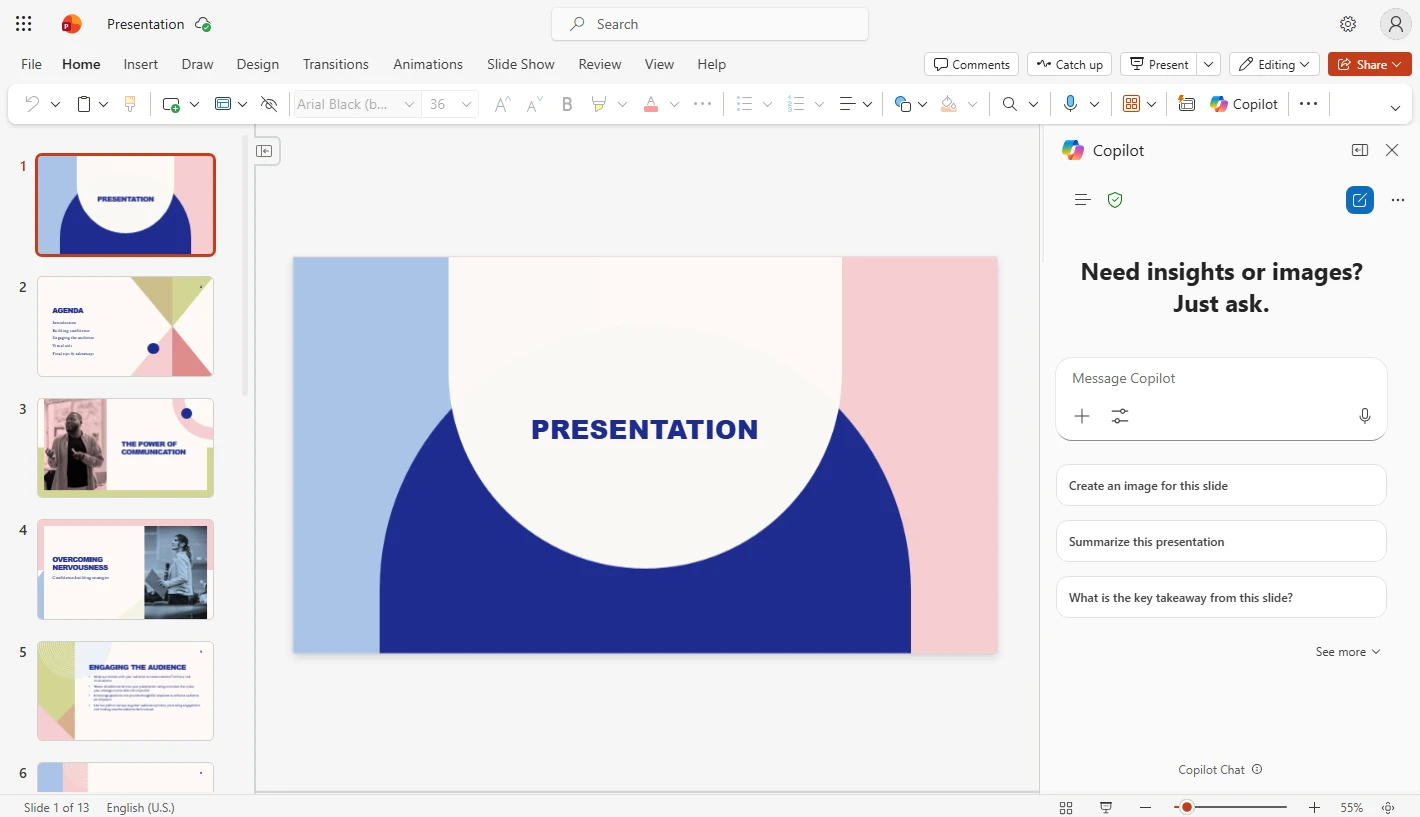
Make your presentations more engaging
Start creating slides instantly
Create slides quickly from ideas. Copilot helps generate slide structures for you.
Ready to use templates
Choose professionally designed templates that fit different presentation styles.
Professional slide design
Enhance clarity and visual appeal with smart layout and design suggestions powered by AI.
Present with confidence
Add notes, rehearse presentations, and deliver your message more effectively.
Copilot. Your AI assistant for presentations in PowerPoint
Copilot helps you think, analyze, and structure presentations
Transform ideas into slides, refine content, and create presentations that clearly communicate your message and objectives
Manage presentations from start to finish in one place
Edit content
Add details or adjust slide content easily without starting over.
Record slide narration
Record voice narration for slides to support clearer presentation delivery.
Rehearse presentations
Practice timing, pacing, and delivery to improve presentation confidence.
Accessibility settings
Adjust fonts, colors, and layouts to make presentations accessible to all audiences.
Real time collaboration
Edit slides together and comment with team members anytime.
Track changes
Review edits, comments, and presentation updates clearly.
Ready to start using Microsoft PowerPoint?
Choose a Microsoft 365 plan that fits your needs or contact our team for guidance.
Microsoft PowerPoint is a trademark of Microsoft Corporation.