
Microsoft Clipchamp
Create professional videos easily, no experience required.
Create creative videos and images that stand out without needing advanced editing skills.

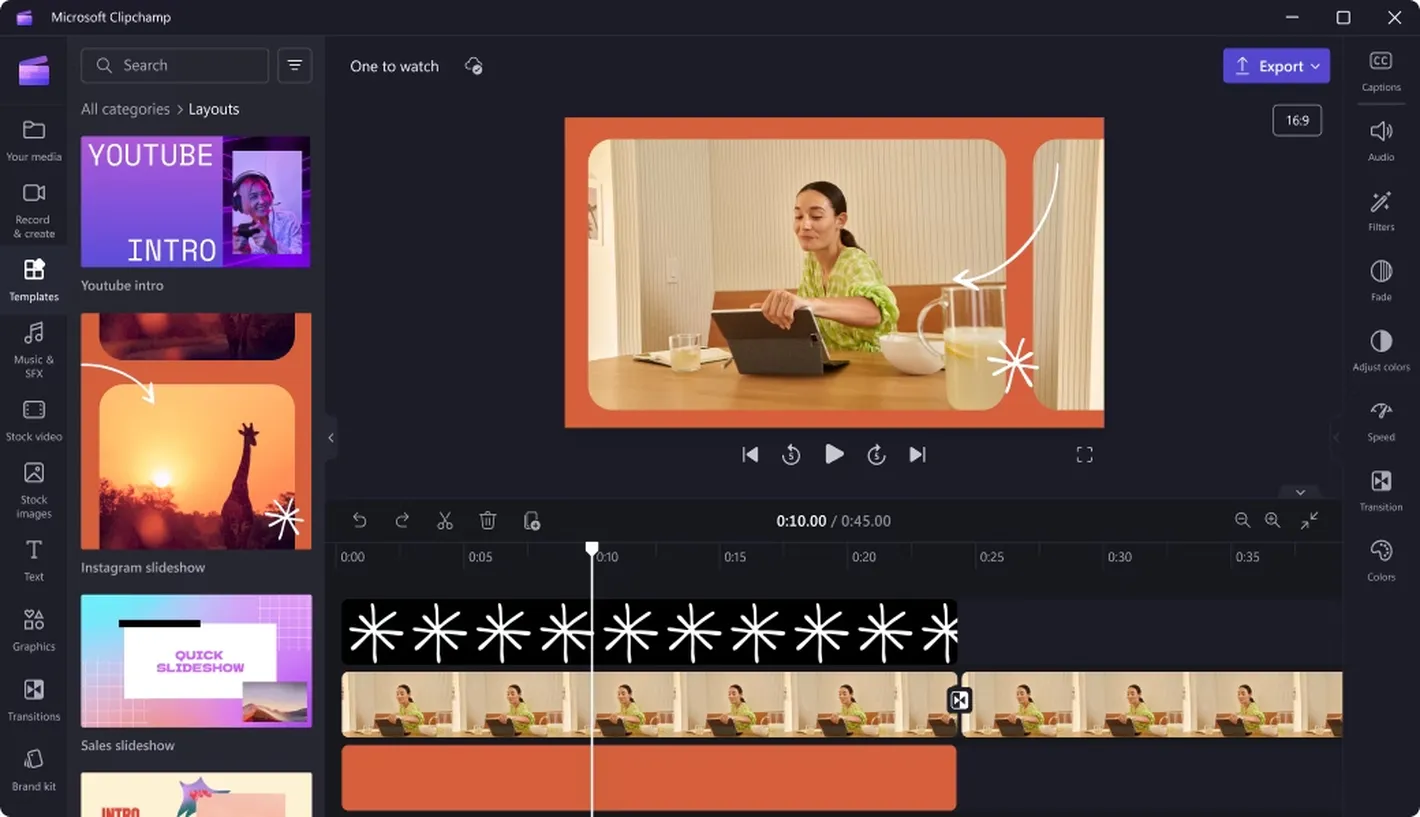
Everything you need to create videos in one place
Easy to create
Edit videos quickly and easily with ready to use tools that are simple to learn.
Ready made video templates
Choose from a wide range of professionally designed templates to get started faster.
Complete video editing tools
Cut, trim, combine clips, add text, and edit videos easily.
Add media
Add images, videos, and audio from a wide range of ready to use content.
Make video creation easier with efficient tools
Screen and camera recording
Record your screen, camera, and audio to create explainer videos, tutorials, or presentations easily.
Time saving video tools
Use smart tools such as automatic subtitles, text to speech, and background removal to speed up editing.
Consistent video settings
Apply colors, fonts, and brand elements to keep videos visually consistent.
Easy sharing
Export videos and share them on multiple platforms or send files easily.
Connect with Microsoft services
Save and share videos via OneDrive, Teams, and SharePoint for seamless collaboration.
Suitable for learning and work
Create videos easily to support communication, training, and teamwork in both education and the workplace.
Screen and camera recording
Record your screen, camera, and audio to create clear videos for teaching, presentations, or training.
Ready to start using Microsoft Clipchamp?
Choose a Microsoft 365 plan that fits your needs or contact our team for guidance.
Microsoft Clipchamp is a product of Microsoft Corporation.